Smartwatch Privacy: How to Protect Your Health Data in 2026
A smartwatch can count steps, measure your pulse, record workouts, and quietly build a detailed picture of your daily life. As smartwatches become popular Christmas gifts in 2026, it is worth understanding what happens to this information before you connect a new device to your phone.
Health and fitness data can be useful, but it is also personal. A watch may know when you sleep, where you exercise, how often you feel stressed, and whether your heart rate changes during the day. This guide explains the main privacy risks and the practical settings that can help you keep control of your information.
What Health Data Do Smartwatches Collect?
The exact data depends on the model, operating system, sensors, and apps you use. Basic fitness trackers may only record steps, distance, calories, and active minutes. More advanced smartwatches can collect a much broader set of health and lifestyle signals.
Heart rate, workouts, and movement
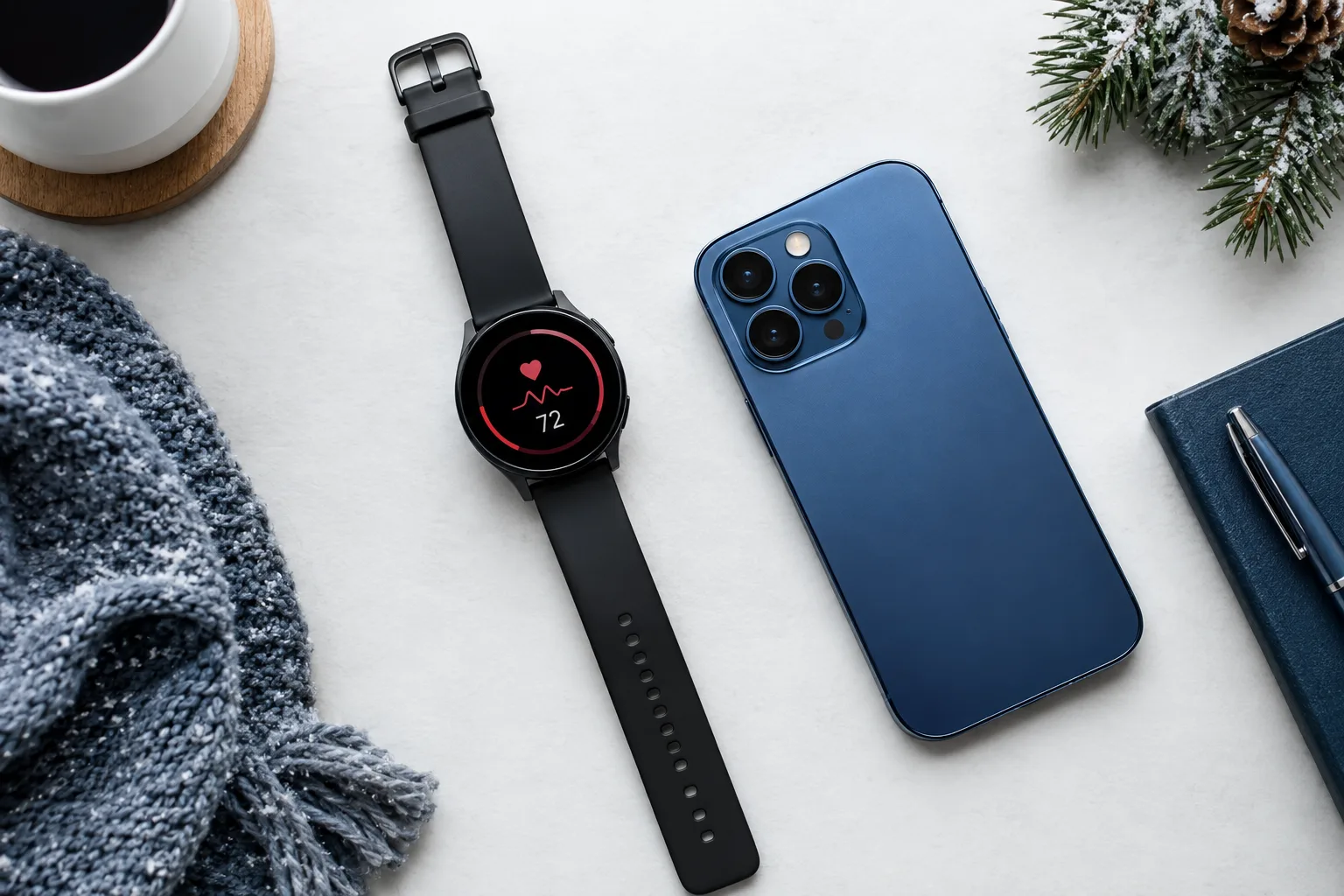
Optical heart-rate sensors use light to estimate your pulse through the skin. The watch may measure your heart rate continuously, during exercise, or at selected intervals. Some devices can identify unusual heart-rate patterns, but these alerts are not the same as a medical diagnosis.
Accelerometers and gyroscopes detect movement, position, and changes in speed. They help the watch count steps, recognise walking or running, estimate distance, detect falls, and identify different workout types. These sensors can show how active you are, but they cannot always distinguish between similar movements with perfect accuracy.
Workout records may include the time and duration of an activity, pace, route, elevation, heart-rate zones, and recovery information. Even a simple evening walk can create a location record if GPS tracking is enabled.
Sleep, stress, blood oxygen, and other signals
Sleep features usually estimate when you fall asleep, wake up, move during the night, or enter different sleep stages. These estimates are based on movement, heart rate, skin temperature, and sometimes blood oxygen readings. They can support general wellness goals, but they should not replace professional sleep testing.
Stress tools may use heart-rate variation, movement, breathing patterns, and other signals to estimate moments of strain or relaxation. Blood oxygen features use sensors to estimate oxygen saturation at the wrist. Results can be affected by fit, skin contact, movement, cold weather, tattoos, and other conditions.
Some watches also collect skin temperature, breathing rate, menstrual cycle information, pregnancy-related notes, medication reminders, and manually entered symptoms. Menstrual health data can be especially sensitive because it may reveal information about fertility, reproductive health, or private medical concerns.
Location data is another important category. GPS can record routes, frequent destinations, running paths, workplaces, schools, and travel patterns. A watch may also use nearby phones, Wi-Fi networks, or Bluetooth devices to estimate its position.
Where Smartwatch Health Data Goes After Collection
Your watch is usually only the first part of the data journey. It may store information temporarily and then transfer it to a smartphone through Bluetooth. The phone app displays your charts, manages settings, and often uploads the records to the manufacturer’s cloud service.
The cloud account makes it possible to restore data after replacing a phone, view activity on a web dashboard, or synchronise information between several devices. However, cloud storage also means your data is handled outside the watch itself. The company’s privacy policy should explain how long it keeps the information, where it stores it, and which services can process it.
Health data may also move into a platform such as Apple Health, Google Health Connect, Samsung Health, or another operating-system service. These platforms can combine information from your watch, phone, smart scale, cycling computer, and health apps. This can create a useful overview, but it also creates more connections to review.
Third-party apps may request access to steps, heart rate, workouts, sleep, location, or menstrual health information. A running app may need route data, while a simple watch-face app should not need access to your medical history. Some services can use information for analytics, personalisation, advertising, research, or insurance-related tools, depending on your consent and local rules.
Insurance and medical services require particular caution. A wellness programme may offer discounts for sharing activity records, but you should read the terms before accepting. Check whether participation is optional, what data is collected, who can view it, and whether you can withdraw later.
Before setting up a watch as a Christmas gift, review the phone, account, and cloud settings together rather than accepting every default option.
The Main Privacy Risks of Fitness and Health Tracking
The biggest risk is not usually one isolated step count. It is the detailed profile created when many small records are combined over weeks or years. A routine can reveal where you live, when you work, how regularly you exercise, and when you travel.
Accounts, permissions, and data sharing
If your watch account is protected by a weak or reused password, a breach could expose activity history and personal information. An attacker may also gain access to connected devices or cloud backups. Multifactor authentication is one of the most effective protections available.
Excessive permissions create another common problem. A watch companion app may ask for contacts, microphone access, notifications, location, health records, and Bluetooth control. Some permissions are necessary for core features, but others may only support optional services.
Location exposure can be particularly revealing. Public workout routes may show your home address, regular travel times, or the location of a child’s school. Sharing a screenshot of a fitness map during a holiday trip can also reveal that your home is empty.
Family, workplace, and device risks
Shared phones, family accounts, workplace wellness programmes, and unlocked computers can expose health information to people who should not see it. Notification previews may display heart-rate alerts, cycle information, medication reminders, or private messages on the watch face.
Health records can also be inaccurate. A loose strap, cold autumn weather, poor skin contact, or a software error may create incorrect readings. If inaccurate data is automatically shared with another service, it may lead to confusion or poor decisions.
The holiday shopping season adds another risk. A second-hand watch, an opened return, or a device connected to a shop demonstration account may still contain personal records. Before gifting or accepting a used smartwatch, erase it fully and remove the previous owner’s account.
How to Check a Smartwatch’s Privacy Before Buying or Gifting It
Start with the manufacturer’s privacy policy, not only the product specification page. Look for clear information about health data, location data, voice recordings, advertising, research, third-party sharing, deletion requests, and international data transfers.
Check whether an account is required. Some watches offer basic timekeeping and exercise features without an account, while others require registration for setup and cloud synchronisation. An account is not automatically a problem, but you should understand what features stop working if you decline cloud services.
Review data retention rules. A privacy-friendly service should explain whether it keeps raw sensor records, aggregated statistics, or backups after you delete an account. Look for a practical way to export and permanently delete your data.
Advertising practices also matter. A company that sells hardware may still use activity data to personalise content, promotions, or recommendations. Read the settings for personalised advertising and analytics, then disable optional uses that you do not need.
Regional protections can differ. European users may benefit from stronger privacy rights, including rights of access, correction, portability, and deletion under applicable data-protection rules. The exact options depend on the service and your location, so do not assume that every region receives identical controls.
The ecosystem is also important. Apple, Google, Samsung, Garmin, Fitbit, and other platforms have different account structures, cloud policies, health dashboards, and third-party connections. A watch that works with an iPhone may offer different privacy controls from a similar-looking Android model.
For a broader buying perspective, compare privacy alongside battery life, phone compatibility, repair options, and health features. A device with fewer sensors may be the better choice if you do not want to create a large health profile.
Privacy Settings That Protect Smartwatch Health Data
During setup, choose the minimum permissions needed for the features you actually plan to use. Allow location only for activities that need GPS, such as outdoor running or cycling. If your phone offers an approximate-location option, consider using it for apps that do not need precise positioning.
Review health permissions separately from ordinary app permissions. On iPhone, check the Health app’s data access settings. On Android, review Health Connect and the permission controls for the watch companion app. Remove access for apps you no longer use.
Disable unnecessary sensors and automatic tracking. You might not need continuous heart-rate monitoring, blood oxygen measurements, sleep tracking, contactless payments, or voice activation. Turning off unused features can also improve battery life.
Limit location history and route sharing. Keep workout maps private by default, avoid publishing start and finish points, and inspect any social fitness profile linked to the watch. When travelling during the Christmas period, consider pausing automatic public sharing.
Secure the main account with a unique password and multifactor authentication. Use a screen lock or PIN on the watch, enable phone theft protection, and avoid leaving the device unlocked in shared spaces. If the watch supports wrist detection, turn it on so the device locks when removed.
Control cloud backups carefully. Cloud synchronisation is useful after a phone upgrade, but it means sensitive information remains available online. Delete old records if you no longer need them, and learn whether deletion from the app also removes server-side copies.
Review connected apps every few months. Remove old running tools, watch faces, sleep services, insurance programmes, and developer accounts. Update the watch, phone, and companion app because security patches can fix problems that privacy settings cannot address.
A Seasonal Smartwatch Privacy Checklist for Autumn and Winter
Autumn is a good time to review your privacy before Black Friday, Cyber Monday, and the Christmas shopping rush. New devices often bring new accounts, new apps, and more cloud connections, so a short review can prevent avoidable problems.
- Check which apps can access heart rate, sleep, workouts, location, and menstrual health data.
- Turn off precise location and continuous sensors that you do not use.
- Delete old workouts, routes, and health records that are no longer useful.
- Update the watch, phone, companion app, and operating system before winter travel.
- Enable multifactor authentication and confirm that the watch has a secure PIN.
- Review cloud backups, public fitness profiles, and connected third-party services.
- Remove old devices from your account before selling, returning, or gifting them.
- Factory-reset a second-hand watch and confirm that the previous owner has removed it from their account.
- Protect the watch and phone during Christmas travel, especially at airports, hotels, and family gatherings.
- Repeat the privacy review after receiving a smartwatch as a Christmas gift.
Cold weather can affect battery performance and sensor accuracy, so do not assume that every unusual reading is medically meaningful. Keep the device fitted correctly, follow the manufacturer’s guidance, and speak with a healthcare professional about persistent concerns.
Verdict
Smartwatches can provide helpful insight into activity and wellness, but their convenience comes with a detailed record of your body, habits, and movements. The safest approach is not to avoid every connected feature. Instead, choose a device with clear privacy practices, allow only necessary permissions, protect your account, and review data sharing regularly.
As autumn turns into winter and smartwatches appear under Christmas trees, take a few minutes to check the settings before wearing the device every day. A carefully configured watch can remain useful without sharing more personal information than necessary.