Hello, tech lovers! Have you ever wished your smartphone could do more than take photos, answer calls and help you scroll through social media? What if the phone in your pocket could also act as your personal photography assistant, help you reply to messages, translate conversations while travelling and keep your work notes organised?
That is the idea behind the Samsung Galaxy Z Flip6. With its compact foldable design and Galaxy AI features, this smartphone aims to make everyday tasks simpler while giving users new ways to use their devices.
Whether you are a content creator, student, working professional or someone who simply enjoys trying new technology, the Galaxy Z Flip6 offers features that go beyond the usual smartphone experience.
Imagine meeting a friend who asks, “Why would I need a foldable phone when my current phone already does everything?”
The answer is not just the ability to fold the device. It is how that design works with the camera, AI tools and everyday features to make certain tasks more convenient.
Here are six ways the Samsung Galaxy Z Flip6 could change how you use your phone.

1. Fold It, Flex It and Forget Your Tripod
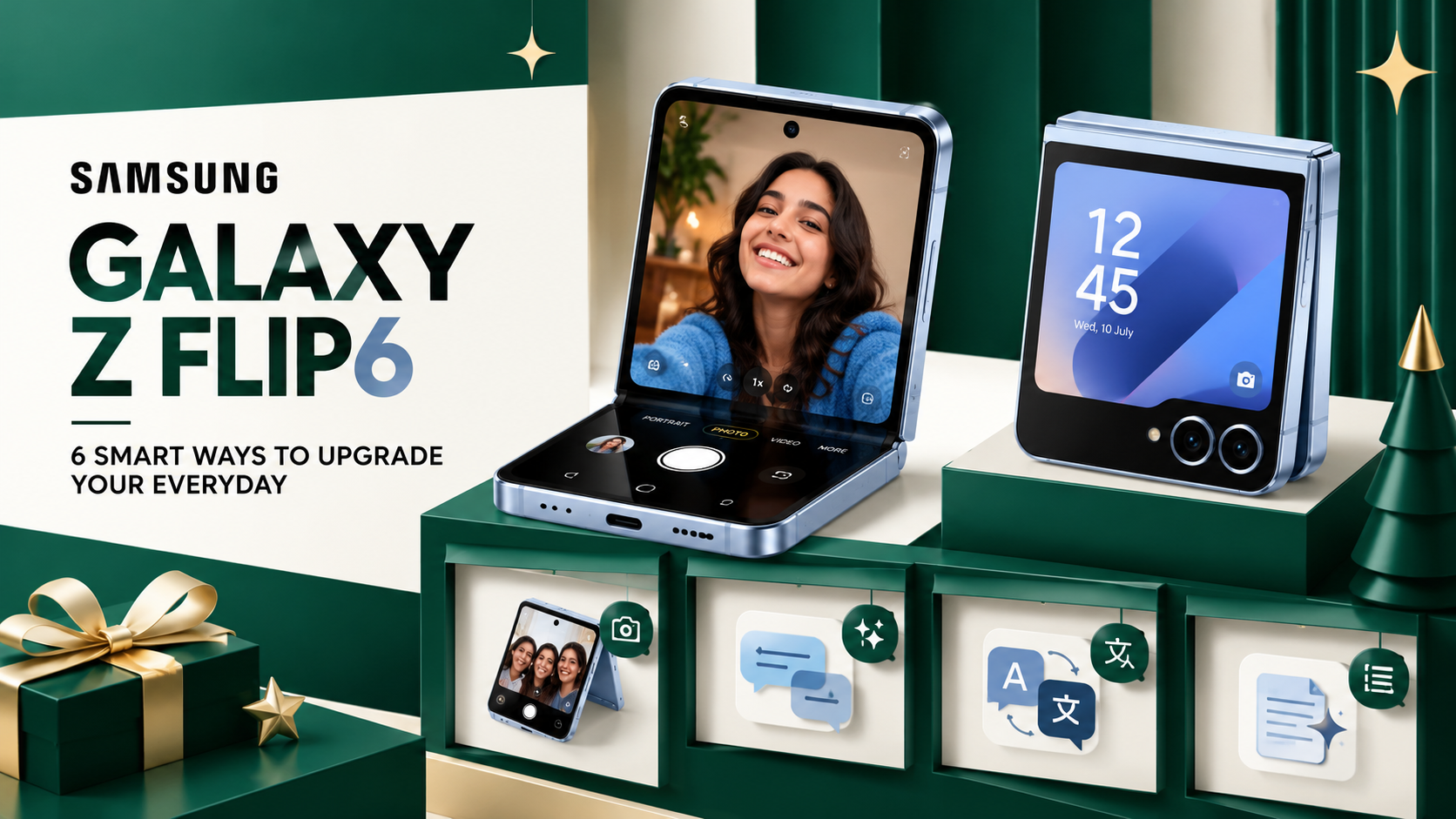
If you enjoy taking photos, recording reels or making short videos, the Galaxy Z Flip6 has a feature worth exploring: FlexCam.
Traditional smartphone photography often requires you to hold the phone, ask someone else to take the picture or carry a tripod when you need a hands-free setup. The Galaxy Z Flip6 offers another option.
Its foldable design allows you to partially open the phone and place it on a stable surface. You can then use the camera without holding the device throughout the recording.
For example, imagine you are travelling alone and want a picture with a beautiful mountain view in the background. There is no friend around to take the photo, and you do not want to carry extra equipment.
Simply position the phone securely, frame the shot and get ready for the picture.
The FlexCam experience also includes Auto Zoom, which can help adjust the framing to keep you in the shot. This can be useful when recording a vlog, taking a group picture or making a quick video for social media.
A content creator might say, “I just want to record a quick video without setting up my entire camera kit.”
That is where the foldable design can be useful. It gives you a more flexible way to position the camera and capture content.
Of course, you still need a stable surface and suitable lighting for the best results. But for casual photography and everyday video recording, the ability to use the phone hands-free can be a real advantage.
2. Smart Replies Make Messaging Easier
We all know the feeling of receiving a message when we are busy.
You read it, think about what to say, type a reply, delete it and then start again. Sometimes, even a simple response takes longer than expected.
The Galaxy Z Flip6 includes Galaxy AI features designed to make certain communication tasks easier. One of them is Suggested Replies, which can recommend responses based on the conversation.
Instead of typing every response from scratch, you can review a suggestion and decide whether it suits the situation.
Imagine receiving a message from a colleague asking whether you will attend a meeting.
You might think, “I am busy right now, but I need to reply quickly.”
A suggested response could help you get started. You can then select, edit or ignore it depending on what you actually want to say.
This feature can be useful for people who receive frequent messages throughout the day, including professionals, students and anyone managing several conversations at once.
However, AI-generated replies should not replace your own judgement. A casual response to a friend may be very different from a formal message to your manager.
It is always worth checking the wording before sending a reply, especially when the conversation involves important work or personal matters.
The goal is simple: spend less time struggling with wording and more time on the things that matter.
3. Travelling Abroad Becomes Less Stressful
Travelling to another country is exciting, but language differences can sometimes make simple tasks difficult.
You might want to order food, ask for directions, check into a hotel or speak with someone who does not understand your language.
This is where the Galaxy Z Flip6’s Galaxy AI translation tools can be useful.
Call Assist includes translation-related capabilities for supported calls, while Interpreter offers tools for face-to-face conversations. These features are designed to help people communicate across language barriers.
Imagine you are visiting Italy and want to ask a local restaurant about its menu.
You could try explaining yourself through gestures, searching for translations online or using a supported translation feature on your phone.
Interpreter’s Conversation Mode is designed to show translations in a way that helps both people follow the conversation. The split-screen presentation can make it easier for each person to read the relevant language.
Now imagine attending an international event or meeting someone while travelling in South Korea. Instead of trying to remember every phrase from a language guide, you can use your phone to assist with the conversation.
These tools can make communication more convenient, particularly when you are unfamiliar with the local language.
Still, AI translation is not perfect. Important conversations involving legal, medical or other sensitive matters may require a qualified human interpreter. Some AI features also require an internet connection, downloads or supported language settings.
For everyday travel conversations, however, having translation assistance on your phone can be helpful.
4. Give Your Photos and Videos an AI Upgrade
Taking a good photo is only the first step. Sometimes the background is messy, an unwanted object appears in the frame or a picture needs a little extra work before it is ready to share.
The Galaxy Z Flip6 offers several Galaxy AI-powered image and video tools intended to make editing more accessible.
Photo Assist
Photo Assist can help users make changes to supported images. Depending on the editing tool, you may be able to move or resize objects, remove distractions or generate content to fill parts of an image.
For example, suppose you take a photo during a family outing. The picture looks great, but an unwanted object in the background distracts from the main subject.
Instead of opening a complicated editing application, you can use supported AI editing tools to try to improve the image.
The results may vary, so it is a good idea to review the edited photo carefully before sharing it.
Portrait Studio
Portrait Studio can create stylised versions of portraits using AI effects. It offers another way to experiment with profile pictures and creative images without having to edit everything manually.
This could be useful if you want a different look for a social media profile or simply enjoy exploring new visual styles.
Sketch to Image
Have you ever drawn a quick idea and wished you could turn it into something more detailed?
Sketch to Image is designed to transform simple sketches into generated images. It can be useful for creative experiments, visual ideas and playful designs.
You do not need to be a professional artist to try a simple drawing. The AI tool can help turn that rough starting point into a more developed visual.
Instant Slow-Mo
For video lovers, Instant Slow-Mo can help create slow-motion versions of supported footage by generating additional frames.
Imagine recording a friend jumping into a swimming pool or capturing a playful moment with your pet. Slowing down the action can make the clip more dramatic or entertaining.
Together, these tools provide several ways to experiment with photos and videos directly from your smartphone. Their availability and exact capabilities may depend on software versions, settings and supported content.
5. Stay Organised With Note Assist
Between work, studies, family responsibilities and personal plans, keeping track of information can quickly become difficult.
You might record a meeting, write a long list of ideas or save an important document that you do not have time to read immediately.
Galaxy AI’s Note Assist is designed to make some of these tasks easier.
Supported features include helping users transcribe voice recordings, summarise lengthy notes and organise written information.
Imagine you have just finished a long meeting. Several ideas were discussed, deadlines were mentioned and different team members were assigned tasks.
Instead of listening to the entire recording again, you may be able to use transcription and summarisation features to review the important points more quickly.
A student could also find these tools useful when organising class notes or reviewing lengthy material.
For example, you might think, “I recorded the whole lecture, but where did the teacher explain the main topic?”
A transcript can make it easier to search through the discussion, while a summary can provide a quicker overview of the material.
These features are especially useful when working with large amounts of information. However, AI summaries can occasionally miss details or misunderstand context. Important names, dates, instructions and figures should always be checked against the original recording or document.
Used carefully, Note Assist can make your notes easier to manage without requiring you to organise everything manually.
6. Browse Smarter With Browsing Assist
The internet is full of useful information, but finding and understanding it is not always easy.
You may open a website in another language, come across an unfamiliar phrase or need to understand a long article while researching a topic.
Browsing Assist is designed to help users work with supported web content through features such as summarisation and translation.
Imagine you are researching a product and find a detailed article written in a language you do not understand.
Normally, you might copy sections of the text, open a translation service and move repeatedly between different apps.
With supported translation tools, you may be able to understand the page more easily without interrupting your browsing as often.
Summarisation can also help when you need the main points from a long article before deciding whether to read the full text.
For students, this could make research more manageable. Professionals may find it helpful when reviewing online reports, while travellers could use translation tools to understand information on foreign-language websites.
As with other AI features, translations and summaries should be treated as assistance rather than guaranteed replacements for the original content. The availability of features may also depend on the browser, language and software version.
Why the Samsung Galaxy Z Flip6 Stands Out
The Galaxy Z Flip6 combines its foldable design with hardware intended to support everyday performance.
Here are three important features highlighted in the supplied product information.
Compact Design With a Large Display
The phone folds into a more compact shape for carrying in a pocket or bag. When opened, it provides a 6.7-inch AMOLED main display.
This design gives users a large screen for watching videos, reading, messaging and using apps while keeping the device relatively compact when folded.
The form factor is also central to its camera experience, allowing the phone to stand partially folded for supported hands-free shooting.
Snapdragon 8 Gen 3 Performance
The Galaxy Z Flip6 is powered by the Snapdragon 8 Gen 3 for Galaxy platform.
This processor is designed to support demanding smartphone tasks, including gaming, multitasking, photography and video editing.
For users who regularly switch between apps or enjoy mobile games, performance is an important part of the overall experience. Actual results will depend on the apps being used, settings and other factors.
IP48 Protection
The Galaxy Z Flip6 carries an IP48 rating. This includes protection against certain solid particles and water exposure under specified test conditions.
However, an IP rating does not mean a phone is completely protected from every kind of dust or water damage. Users should follow Samsung’s care guidance and avoid deliberately exposing the device to water or particles beyond its rated protection.
As with any foldable phone, taking care of the hinge, display and device body remains important for long-term use.
Samsung Galaxy Z Flip6 Offer: What Buyers Should Check
The supplied promotional content mentions a Samsung campaign under which eligible customers could get the Galaxy Z Flip6 through a 36-month EMI plan of Rs. 2,500 per month, including Rs. 20,000 in instant cashback.
That works out to Rs. 90,000 in instalments over 36 months before considering any other costs or adjustments. The actual amount payable would depend on the offer’s terms, eligibility requirements, financing arrangements and how the cashback is applied.
Before purchasing, check the current price, the total cost across the full EMI period, any processing fees, the cashback conditions and whether the campaign is still available.
Promotional offers can change or expire, so confirm the details with Samsung or an authorised retailer before placing an order.
This website is proudly managed and maintained by Shunya Digit.