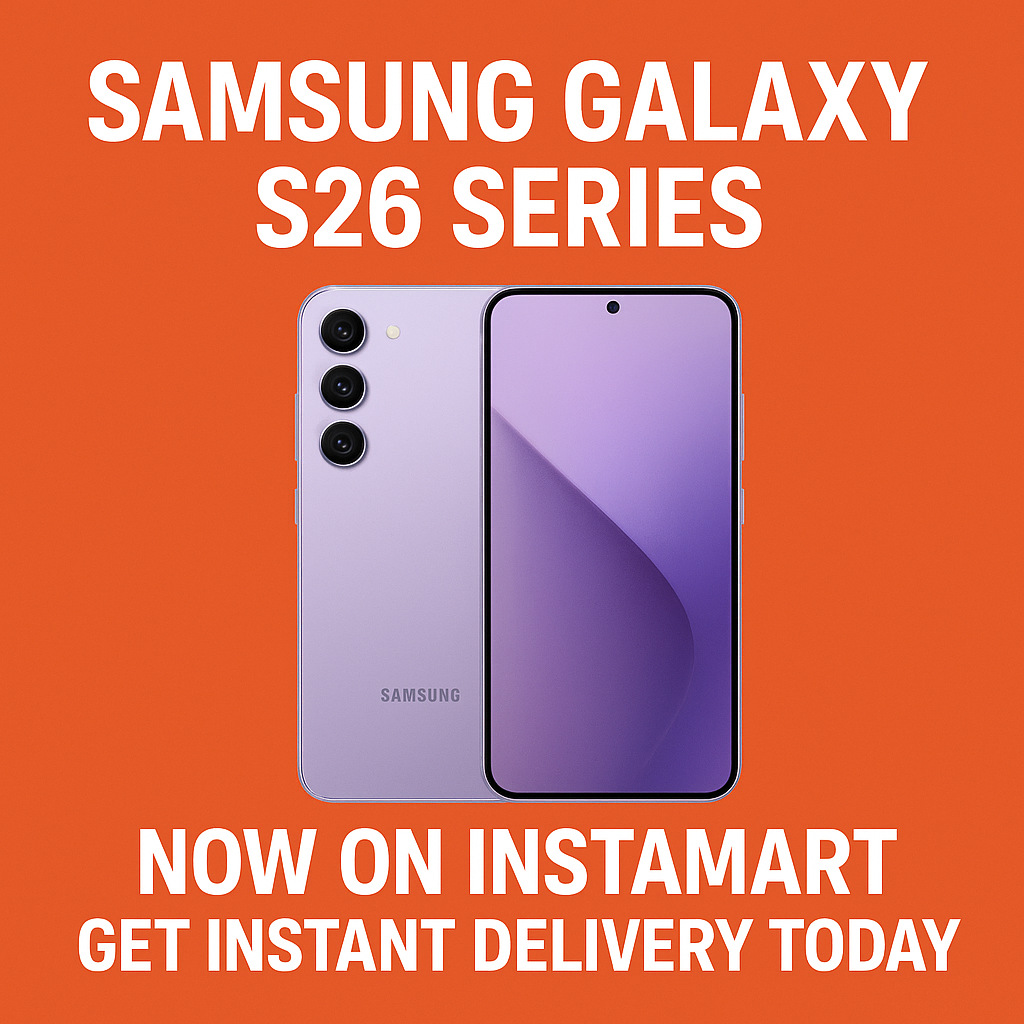
The Samsung Galaxy S26 series has officially landed on Instamart, and the biggest headline is speed: you can now order the latest Galaxy flagship and get instant delivery today in select locations. For shoppers who want the newest Samsung phone without waiting days for shipping or standing in long store queues, Instamart’s quick-commerce model brings the Galaxy S26 lineup directly to your doorstep—often within minutes, depending on availability and your area.
In this guide, we’ll cover what the Samsung Galaxy S26 series on Instamart means for buyers, how instant delivery works, what to check before placing an order, and why on-demand phone delivery is quickly becoming the preferred way to shop for premium smartphones.
Samsung Galaxy S26 Series Arrives on Instamart: What’s New
Samsung’s Galaxy S-series is known for premium design, top-tier cameras, and performance built for power users. With the Galaxy S26 series now available on Instamart, the focus shifts from “Where can I buy it?” to “How fast can I get it?” Instamart simplifies the purchase journey by allowing you to browse, pay, and receive a new phone in one seamless flow—often the same day, and frequently much faster.
Depending on your city and inventory, Instamart may list multiple Samsung Galaxy S26 series variants, colors, and storage configurations. Availability can change quickly, which is normal for instant delivery platforms where stock is tied to nearby dark stores or partner inventory hubs.
Instant Delivery Today: How Instamart Phone Delivery Works
Instamart’s core promise is rapid fulfillment. When you order the Samsung Galaxy S26 series on Instamart, the platform typically assigns the order to a nearby fulfillment center and dispatches a delivery partner to your address. This differs from traditional e-commerce, where products ship from distant warehouses and require longer transit times.
Typical steps to order the Galaxy S26 series on Instamart
- Search the product listing: Look for “Samsung Galaxy S26,” “Galaxy S26+,” or “Galaxy S26 Ultra” (names and variants may vary by listing).
- Choose your variant: Select storage, color, and any available bundles.
- Confirm deliverability: Instamart will show an estimated delivery time based on your location.
- Pay securely: Use supported payment methods and confirm your order.
- Track in real time: Follow the order status from packing to dispatch and delivery.
Because instant delivery depends on nearby stock, the fastest delivery windows are usually available when your preferred variant is already in a local hub. If a specific configuration sells out, you may need to switch colors/storage or wait for restocks.
Why Buy Samsung Galaxy S26 Series on Instamart Instead of Traditional Stores?
Buying a flagship smartphone is often time-sensitive—maybe your current phone broke, you’re traveling, you need a last-minute gift, or you simply don’t want to wait. Instamart brings a set of advantages that are hard to match with standard online shipping or in-store visits.
Key benefits of ordering the Galaxy S26 series via Instamart
- Speed: Get instant delivery today in eligible areas rather than waiting days.
- Convenience: Order from home or office without rearranging your schedule.
- Real-time availability: See what’s in stock near you at the moment you’re shopping.
- Easy gifting: Send a new Samsung Galaxy phone to someone’s address quickly.
- Reduced store hassle: Skip lines, traffic, and parking.
For many buyers, the biggest win is time. If you need a premium Android phone immediately, Instamart’s instant delivery can turn a multi-day wait into an on-demand purchase.
What to Check Before You Place Your Order
Since smartphones are high-value products, it’s smart to do a quick pre-check before you tap “Buy.” The goal is to ensure you choose the correct Samsung Galaxy S26 series model and receive everything you expect at delivery.
Checklist for buying a Galaxy S26 series phone on Instamart
- Variant and storage: Confirm the exact model name and storage capacity in the listing.
- Color and finish: Double-check the selected color in your cart before checkout.
- Warranty details: Verify standard manufacturer warranty information included with the purchase.
- In-the-box items: Review what accessories are included (cable, SIM tool, documentation, etc.).
- Return/replacement policy: Read the platform’s rules for high-value electronics, including timelines and conditions.
- Delivery instructions: Add building access notes, gate codes, or alternate contact details to avoid delays.
Also consider ordering essential add-ons at the same time (if available), such as a protective case, screen guard, or charging accessory. Pairing everything into one delivery can save you time and reduce the risk of using the phone unprotected.
Samsung Galaxy S26 Series: Who Should Buy Which Model?
The Samsung Galaxy S26 series typically includes multiple models designed for different priorities—compact comfort, balanced value, or maximum performance and camera capabilities. Instamart listings may vary by city, but the following guidance can help you pick the right one quickly when you see variants in stock.
Galaxy S26 (base model)
Ideal for buyers who want flagship performance in a more manageable size. If you prefer one-handed use, want premium features without the largest screen, or are upgrading from an older Galaxy S model, the standard Galaxy S26 is often the most practical choice.
Galaxy S26+ (plus model)
Best for those who want a larger display and bigger battery feel without stepping all the way up to the Ultra tier. If you stream a lot, multitask frequently, or want a more immersive screen, the plus model tends to strike a strong balance.
Galaxy S26 Ultra
Built for power users: mobile photographers, productivity-focused users, and anyone who wants the most advanced camera system and premium features in the lineup. If you’re buying the S26 Ultra, instant delivery on Instamart can be especially appealing because it’s the kind of upgrade people often want immediately.
Tips to Get the Fastest Galaxy S26 Instant Delivery on Instamart
Instant delivery depends on proximity and stock. If you want the fastest possible delivery time, use these practical tactics while ordering.
- Be flexible with color: Some colors sell out first; switching colors can dramatically improve delivery speed.
- Check storage options: If one storage variant is unavailable, another may be ready for immediate dispatch.
- Order during active hours: Delivery availability can vary by time of day and local demand.
- Confirm your address details: Accurate pin location and instructions reduce handoff delays.
- Keep your phone reachable: Delivery partners may call for directions or verification.
If the Galaxy S26 series is newly launched or in high demand, inventory may move quickly. Refreshing the listing later can help you catch restocks, especially for popular configurations.
What to Expect at Delivery: Inspection and Setup Essentials
When the Samsung Galaxy S26 series arrives, take a minute to confirm the package condition and contents. This is a good habit for any premium electronics delivery—especially when you’re receiving it instantly and may be excited to unbox quickly.
Quick delivery-time checks
- Outer packaging: Look for signs of tampering or major damage.
- Correct model: Ensure the delivered variant matches your order (model name, color, storage).
- Seals and labels: Check that the box appears properly sealed and intact.
- Invoice/order confirmation: Keep digital or printed proof of purchase for warranty and support.
After unboxing, connect to Wi‑Fi, sign in to your Google account and Samsung account (if you use one), and run software updates. Consider enabling device security features such as screen lock, Find My Device, and backups before transferring all your data.
Instamart and the Future of Smartphone Shopping
The arrival of the Samsung Galaxy S26 series on Instamart signals a broader shift: premium smartphones are no longer limited to slow shipping cycles or in-store availability. Instant delivery today fits modern buying behavior—people want the newest tech on demand, with transparent order tracking and minimal friction.
Whether you’re upgrading for a better camera, faster performance, or a refined display experience, the ability to order a Galaxy S26 series phone and receive it quickly can turn a routine purchase into an effortless, same-day upgrade.
FAQs
1) Is the Samsung Galaxy S26 series available on Instamart in my city?
Availability depends on your location and nearby inventory hubs. Open Instamart, enter your delivery address, and search for “Samsung Galaxy S26 series” to see which variants are currently deliverable in your area.
2) How fast is “instant delivery today” for the Galaxy S26 on Instamart?
Delivery times vary by distance, demand, and stock, but Instamart typically provides an estimated time at checkout. If the phone is stocked nearby, delivery can be significantly faster than traditional e-commerce shipping.
3) Can I choose the exact Galaxy S26 color and storage on Instamart?
You can select from the variants listed at the time you order. If a specific color or storage option is out of stock locally, you may need to choose another configuration or wait for a restock.
4) What should I do if I receive the wrong Galaxy S26 variant or the box looks damaged?
Document the issue immediately (photos/videos if possible) and contact Instamart support through the app. Refer to the return or replacement policy for high-value electronics and follow the guided steps for resolution.
5) Are there any tips to ensure a smooth Galaxy S26 delivery experience?
Confirm your full address and pin location, add clear delivery instructions, keep your phone reachable for calls, and inspect the package upon arrival. Ordering a case and screen protector together (if available) is also a smart move for immediate protection.