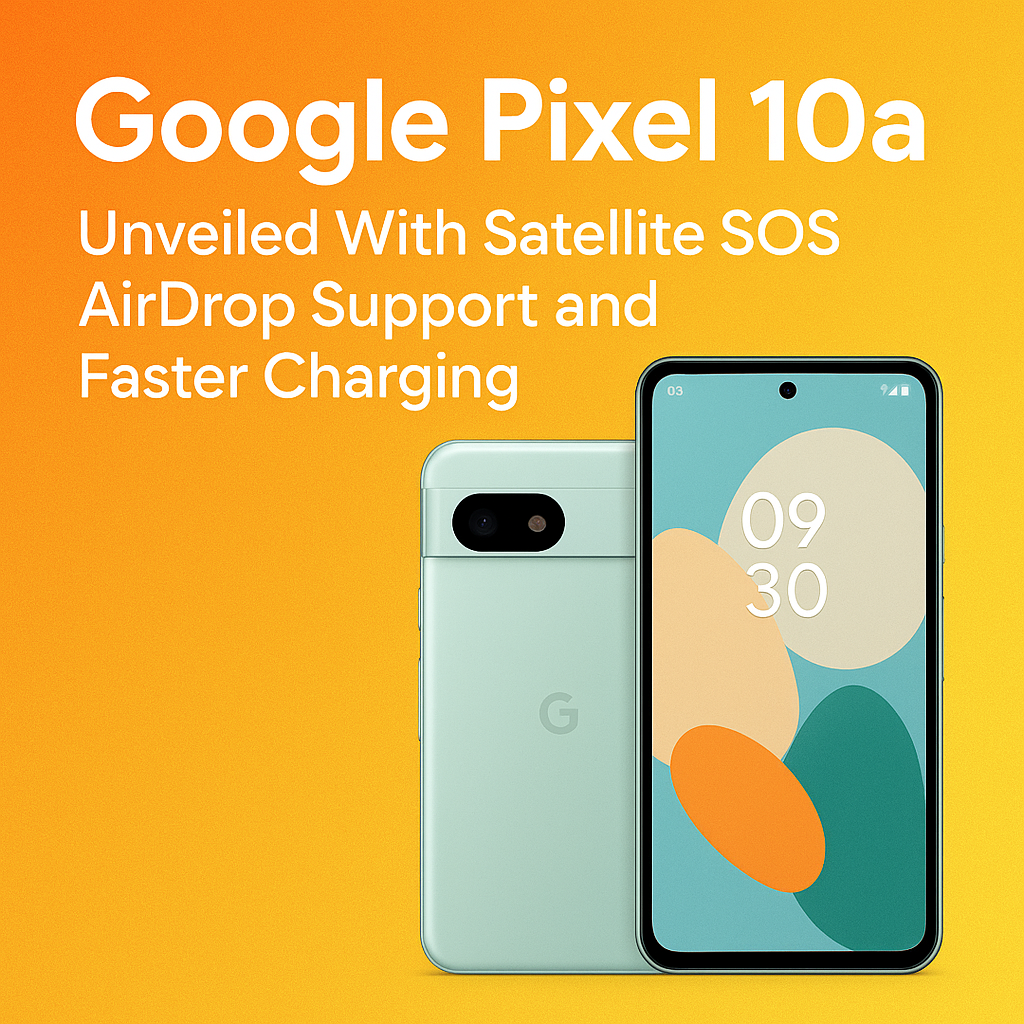
Google has officially lifted the curtain on the Google Pixel 10a, a midrange phone that borrows several headline features from more expensive flagships while keeping the “a-series” value proposition intact. This year’s standout additions are Satellite SOS for emergency messaging when you’re outside cellular coverage, AirDrop-style sharing for quick file transfers, and faster charging that finally makes topping up less of a waiting game. With a refined design, updated cameras, and Google’s latest on-device AI improvements, the Pixel 10a positions itself as one of the most well-rounded Android phones in its price class.
Google Pixel 10a: What’s New in 2026’s Most Important Midrange Pixel
The Pixel 10a arrives at a time when buyers expect premium conveniences even on affordable phones. Google’s approach with the Pixel 10a is simple: keep the essentials that made previous “a” models popular—strong camera processing, clean Android, long software support—then add a few high-impact upgrades that matter in daily use. Satellite SOS and seamless nearby sharing target real-world situations, while faster charging addresses a constant pain point for busy users.
Key upgrades at a glance
- Satellite SOS: Emergency messaging when you have no cell signal (availability varies by region and carrier).
- AirDrop-style sharing: Faster, simpler local file transfers between nearby devices (Android and cross-platform options depending on apps and settings).
- Faster charging: Higher wired charging speed than prior Pixel “a” generations, aimed at quicker top-ups.
- New Tensor platform: Improved efficiency, performance, and on-device AI features.
- Refined design and display: Subtle improvements to durability, brightness, and responsiveness.
Satellite SOS on Pixel 10a: Emergency Help When You’re Off the Grid
The biggest headline feature is Satellite SOS, designed for moments when your phone shows “No Service” but you still need help. Similar in spirit to satellite emergency systems on premium devices, Pixel 10a can guide you through connecting to a satellite and sending a short emergency message containing critical details. In practical terms, this is aimed at hikers, travelers, rural commuters, and anyone who spends time outside reliable network coverage.
How Satellite SOS typically works
While exact implementation can vary by market, Satellite SOS solutions generally follow the same pattern:
- Guided alignment: On-screen instructions help you point the phone toward the satellite for a stable link.
- Short, structured messages: The phone prompts you to select the type of emergency and answer quick questions.
- Location sharing: Your GPS coordinates can be included to help responders locate you.
- Status updates: You may be able to receive confirmation that your message is delivered or that help is being contacted.
Availability, limitations, and what to check first
Satellite features are inherently dependent on geography, regulations, and partnerships. If Satellite SOS is a must-have for you, verify these before relying on it:
- Regional support: Some countries and territories restrict satellite messaging services.
- Subscription or trial period: Some satellite services include a limited free period and then require payment.
- Clear view of the sky: Dense trees, canyons, and buildings can slow or block satellite connection.
- Emergency-only: Satellite SOS is not a replacement for everyday texting or calling.
AirDrop-Style Sharing: Pixel 10a Takes Nearby Transfers Seriously
Another standout feature is AirDrop-style sharing, which aims to make sending photos, videos, documents, and links between nearby devices nearly effortless. Android has offered nearby transfer options for years, but user experience has often depended on device brands, settings, and app support. With the Pixel 10a, Google is pushing a more consistent, faster workflow that feels built-in rather than bolted on.
What you can do with Pixel 10a nearby sharing
- Share full-resolution photos and videos without compression from messaging apps.
- Send large files like PDFs, presentations, and ZIP archives quickly over local connections.
- Share links instantly to move between phone, tablet, and laptop workflows.
- Control privacy with visibility settings (contacts only, your devices, or temporarily discoverable).
Cross-platform expectations
“AirDrop support” can mean different things depending on ecosystem. Pixel 10a’s solution should work best across Android devices and with supported Google services, and may also integrate with companion apps on other platforms for certain transfer types. In day-to-day use, the main win is speed and simplicity: fewer steps, clearer prompts, and more reliable transfers in mixed-device households.
Faster Charging: A Small Spec Change That Improves Daily Life
Charging speed isn’t the flashiest feature, but it’s one of the most felt. The Pixel 10a introduces faster charging, helping you get meaningful battery back in a short time—ideal for short breaks, commuting, or topping up before a night out. While exact wattage and peak speeds can vary based on charger and temperature, the general expectation is faster wired charging than previous “a” models and better charging management for battery longevity.
Tips to actually get faster charging speeds
- Use a compatible USB-C PD charger that matches or exceeds the phone’s supported wattage.
- Use a quality USB-C cable rated for higher power delivery.
- Avoid charging under heavy load (gaming, navigation, hotspot) if you want maximum speed.
- Keep the phone cool, since heat can reduce charging rates to protect the battery.
Performance and AI: Tensor Upgrades for a Smarter Midrange Pixel
The Pixel 10a’s updated Tensor chipset brings improved performance efficiency and more on-device AI processing. For users, that typically means smoother daily interaction, better voice processing, smarter camera features, and more responsive system behavior. Google continues to focus on AI that feels practical rather than gimmicky—features that help you type, edit, search, and organize without sending everything to the cloud.
Everyday performance improvements you’ll notice
- Faster app launches and fewer stutters when switching between apps.
- Improved speech recognition for dictation and voice commands.
- Smarter call tools like spam detection and call screening (availability varies by region).
- Better battery efficiency through improved scheduling and adaptive power management.
Camera Experience: Pixel Processing Still Leads at the Price
Pixel phones have long competed above their price class thanks to computational photography. The Pixel 10a continues that trend with tuned processing for sharper details, more accurate skin tones, improved HDR handling, and reliable low-light capture. Even if the camera hardware changes only modestly year to year, Google’s image pipeline and AI-assisted editing tools often deliver the biggest gains.
What to expect from the Pixel 10a camera
- Strong point-and-shoot consistency across daylight, indoor, and mixed lighting.
- Better night photos with reduced noise and improved highlight control.
- Cleaner portraits with more natural edge detection and depth effects.
- Smarter editing tools that remove distractions, sharpen details, or adjust lighting quickly.
Display, Design, and Durability: Polished Where It Counts
Midrange buyers increasingly expect premium touches like smoother scrolling and brighter screens. The Pixel 10a’s display improvements aim to make outdoor viewing easier and animations feel more fluid. The design remains distinctly Pixel—clean lines, recognizable camera bar styling, and a comfortable in-hand feel—while durability enhancements help the phone better handle everyday bumps and splashes.
Design highlights that matter in real use
- Comfortable ergonomics: A size and shape that’s easy to hold one-handed.
- Improved screen visibility: Better brightness for outdoor use.
- Refined haptics and audio: More satisfying vibrations and clearer speaker tuning.
- Practical durability: Better protection for daily wear and weather exposure.
Software and Updates: Clean Android With Long-Term Value
One of the core reasons to buy a Pixel is software. The Pixel 10a ships with a current version of Android and Pixel-exclusive features that typically arrive first on Google’s own devices. Beyond day-one experience, update policy matters: security patches and Android version upgrades keep the phone safer and feeling new longer, improving resale value and reducing the need to upgrade early.
Why Pixel software is a selling point
- Fast updates: New features and security fixes arrive quickly.
- Less bloat: A clean interface without heavy manufacturer skins.
- Useful safety tools: Emergency features, scam protection, and device security controls.
- AI features that integrate well: Smarter typing, searching, and photo organization.
Pixel 10a vs. Other Midrange Phones: Who Should Buy It?
The Pixel 10a is best for people who want a reliable everyday phone with standout camera quality, clean software, and safety features that genuinely differentiate it from typical midrange options. Satellite SOS adds peace of mind for travelers and outdoor users, while AirDrop-style sharing and faster charging improve daily convenience. If you care most about raw gaming performance or ultra-fast charging above all else, some competitors may still appeal—but for an all-around experience, the Pixel 10a is positioned as one of the smartest buys.
Pixel 10a is a great fit if you want:
- Top-tier photos without paying flagship prices
- Long-term software support and fast security updates
- Emergency peace of mind with Satellite SOS capability
- Simple, fast sharing between nearby devices
- Better charging speeds for busy daily routines
Final Thoughts: A Midrange Pixel With Premium-Feeling Features
With the Pixel 10a, Google is making a clear statement: safety, convenience, and smart software can be mainstream features, not luxury upgrades. Satellite SOS is the kind of addition you hope you never need but will be grateful to have, while AirDrop-style sharing and faster charging improve the experience every day. Add Pixel’s strong camera processing and reliable updates, and the Pixel 10a becomes a compelling choice for buyers who want a phone that feels thoughtful, modern, and ready for real life.
FAQs
Does the Google Pixel 10a really have Satellite SOS?
Yes, the Pixel 10a includes Satellite SOS for emergency messaging in areas without cellular coverage. Availability can vary by country, regulations, and service partnerships, so it’s important to check support in your region.
Is Pixel 10a “AirDrop” compatible with iPhone?
The Pixel 10a offers AirDrop-style nearby sharing, optimized for Android-to-Android transfers and supported Google services. Direct iPhone-to-Android “AirDrop” isn’t typically available in the same native way, but cross-platform sharing may be possible through apps or alternative transfer methods.
How much faster is charging on the Pixel 10a?
Google is positioning the Pixel 10a with faster charging than previous Pixel “a” models. Real-world speed depends on the charger, cable, battery temperature, and whether you’re using the phone heavily while charging.
Will Satellite SOS work without a SIM card?
Satellite SOS is designed for emergency situations and may work independently of traditional cellular service, but requirements can vary by region and implementation. Keep your phone updated and review the emergency feature settings to understand what’s supported where you live and travel.
Is the Pixel 10a worth upgrading to from an older Pixel a-series phone?
If you value Satellite SOS, improved nearby sharing, and faster charging, the Pixel 10a can be a meaningful upgrade. It’s also worth considering for better AI features, camera improvements through updated processing, and extended software support compared with older models.